




Dedicated Android Handhelds
Optimized for Ayn Odin 2, AYANEO Pocket S, and Retroid Pocket 5/Mini. Takes full advantage of built-in controls and active cooling for a portable Steam Deck alternative.
Bringing a genuine SteamOS handheld experience to Snapdragon Android devices via Valve ARM64 Proton and Steam Big Picture.
Say goodbye to PC host streaming and local network latency. DroidDeck transforms your Qualcomm Snapdragon Android handheld or flagship smartphone into a truly standalone local PC gaming machine. Utilizing a rootless PRoot user-space container, DroidDeck runs Valve ARM64 Proton, DXVK 2, and VKD3D Vulkan translation layers natively on Android. Paired with Mesa Turnip open-source drivers tuned for Adreno GPUs, it achieves near-native Vulkan passthrough to unlock full hardware capabilities.
Upon launch, players are greeted by the authentic Steam Big Picture console interface identical to Steam Deck. Seamlessly browse your library, check community guides, and enjoy Valve native Steam Input gamepad mapping. Built-in hall effect triggers and analog sticks on handhelds like Ayn Odin 2 and AYANEO, as well as external Bluetooth Xbox, DualSense, and Switch controllers, are instantly recognized with zero input lag and full gyroscope motion support.
Addressing cross-platform game collections, DroidDeck 0.4.0 integrates unified multi-store management. Enable Stores in settings to sign in to your GOG, Epic Games, and Amazon Games accounts. Browse, download, and auto-import titles directly into Steam with high-resolution artwork and box art, enjoying seamless Proton compatibility and cloud saves without fiddling with separate Wine prefixes.
Beyond gaming mode, DroidDeck features a full-fledged SteamOS-style KDE Plasma 6.7 desktop. Access Dolphin file manager, Firefox, and the Flathub app center to install Linux productivity apps and standalone emulators like RetroArch, PPSSPP, and PCSX2, with a quick one-tap Return to Gaming Mode shortcut always available on the desktop.
Unlike remote streaming tethered to stable Wi-Fi, DroidDeck computes and renders everything entirely on-device, offering uninterrupted offline PC gaming during flights, commutes, and travel. Optimized energy profiling keeps power draw between 3W and 6W for 2D indies and light 3D titles, ensuring cool handheld temperatures and hours of battery endurance.
DroidDeck is not just another Wine wrapper. It bridges Valve ARM64 Proton, Steam Big Picture, and KDE Plasma into a unified SteamOS handheld environment.
DroidDeck launches directly into Valve's Big Picture mode crafted for handheld gaming. Navigate your library, store, and community without awkward mouse emulation. It also includes KDE Plasma 6.7 desktop with Dolphin file manager, Firefox browser, and instant Return to Gaming Mode.
No streaming host or internet required. DroidDeck runs Windows binaries locally using Valve's ARM64 Proton inside an optimized PRoot container. DXVK 2 and VKD3D translate DirectX commands directly into native Adreno Vulkan calls with minimal overhead and zero input lag.
Enable Stores in Setup to sign in to your GOG, Epic Games, and Amazon accounts. Downloaded games are automatically imported into Steam as non-Steam games with matching cover art and Proton configurations, complete with cloud save sync for GOG and Epic.
Connect Bluetooth and USB-C controllers including the 2025 Bluetooth LE Steam Controller, DualSense, Xbox 360, and PS4 pads. Supports up to 4 simultaneous gamepads for couch co-op. On touchscreens, enjoy Steam's native on-screen controller with community layouts and Steam Cloud backup.
On foldable devices (e.g., Galaxy Z Fold, Pixel Fold), DroidDeck dynamically resizes games when folded, unfolded, or rotated, with an optional virtual gamepad below the game screen when unfolded for a dual-screen handheld experience.
Access Flathub in desktop mode to install ARM64 Linux utilities, media tools, and standalone emulators (RetroArch, RPCS3, PCSX2, Dolphin, Citra), making your handheld the ultimate retro and modern gaming powerhouse.
Comparing DroidDeck with traditional Windows emulators and remote streaming solutions.
| Dimension | Winlator | Steam Link | DroidDeckRecommended |
|---|---|---|---|
| Positioning | Generic x86 Wine container emulation running Windows desktop software via Box64 on Android. | Streams real-time compressed video from a powered-on home desktop PC over local network or internet. | Dedicated SteamOS handheld experience. Boots into Steam Big Picture with local ARM64 Proton, GOG/Epic multi-store, and KDE Plasma desktop. |
| User Interface | Standard Windows desktop interface requiring touchscreen mouse emulation or third-party floating buttons. | Displays PC desktop or Big Picture with controller support, but latency is dependent on Wi-Fi and decode speed. | Pure controller UI with Steam Input, gyro support, community layouts, and foldable dual-screen virtual gamepads. |
| Runtime & Execution | Slow container boots. Requires manual tweaking of Box64 Dynarec presets, Turnip driver forks, and environment variables. | Low mobile device heat and battery usage, but entirely dependent on home PC remaining powered on and connected. | Rootless PRoot container with Snapdragon Adreno optimizations, 57% faster I/O, and low idle CPU drain. |
| Translation Layer | Relies on generic Wine/Proton patches with x86-to-ARM emulation; prone to shader stutters and graphic artifacts. | H.264 / HEVC / AV1 video streaming. Vulnerable to packet loss, frame drops, and compression artifacts on mobile networks. | Valve ARM64 Proton + DXVK 2 / VKD3D over hardware Vulkan for minimal translation overhead and zero input lag. |
| Integration | Requires sourcing standalone game installers or zip archives; no official Steam Big Picture or Steam Cloud sync. | Graphics powered by desktop GPU, but requires home PC on 24/7, port forwarding, and high-speed stable internet. | 100% open-source (GPL-3.0), ad-free, auto-imports games into Steam with cover art and cloud save support. |
| Best For | Tinkerers who enjoy tuning container parameters and testing obscure legacy PC games. | Gamers with high-spec desktop PCs who play at home on the couch or have ultra-reliable 5G connections. | Handheld gamers, Snapdragon phone owners, and players wanting offline PC gaming on the go. |
| Ease of Use | High. Must create separate container prefixes, test custom driver versions, and debug crash logs manually. | Moderate. Requires configuring Sunshine/GeForce host servers, firewall rules, and network QoS. | Very Easy. One-tap Linux runtime setup, sign in to Steam, and play immediately without manual Wine configuration. |
If you want an authentic, distraction-free handheld experience without PC streaming or messy Wine container tweaking, DroidDeck is the premier SteamOS-grade solution for Android.
DroidDeck is purpose-built for portable PC gaming across Android handhelds, flagship phones, and foldable devices.
Optimized for Ayn Odin 2, AYANEO Pocket S, and Retroid Pocket 5/Mini. Takes full advantage of built-in controls and active cooling for a portable Steam Deck alternative.
Snapdragon 8 Gen 1/2/3 and 8 Elite chips have desktop-class GPU power. Play your PC catalog on flights, subways, or anywhere without Wi-Fi.
Unfolded foldables provide gorgeous 4:3 or 16:10 aspect ratios. DroidDeck offers a dedicated virtual touch controller on the bottom half so you can play without an external gamepad.
No messy Wine prefixes to manage. Aggregate Steam, GOG, and Epic libraries together, and install Flatpak emulators via KDE desktop for a complete gaming center.
Popular PC titles verified on DroidDeck and Snapdragon handhelds offering exceptional performance and battery life.
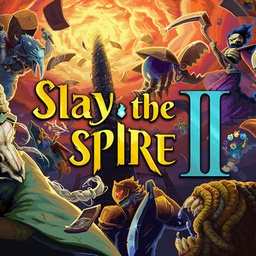
by Mega Crit
Runs flawlessly on DroidDeck with native touch controls or physical gamepad, delivering high framerates and hours of battery.

by The Behemoth
Featured in the DroidDeck 0.4.0 demo with custom touch layouts and up to 4 wireless controllers for local co-op.

by Blobfish
Play the full PC version with workshop mods, instant response, and locked 60 FPS directly on your Snapdragon handheld.
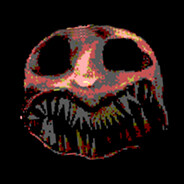
by Mike Klubnika
The gritty aesthetic renders beautifully on OLED handheld screens with full sound, high Vulkan efficiency, and perfect controls.
Follow these 4 simple steps to set up DroidDeck, initialize the Linux runtime, and boot your first PC game on Android.
Verify your device has a Snapdragon Adreno 730+ GPU (Android 9+, 5GB+ free space) and install the DroidDeck APK.
Launch DroidDeck and tap 'Play'. The app will automatically download and unpack the Linux runtime (~3GB) and Steam.
On Android 14+, enable 'Disable child process restrictions' in Developer options or tap 'Fix it for me' on first launch.
Enter Steam Big Picture, sign in to your Steam account, install games or import GOG/Epic titles, and start gaming!
Answers to common questions about DroidDeck device support, technology, Android 14 restrictions, and game compatibility.
DroidDeck is an open-source app that runs entirely locally on your Android device. It is NOT cloud gaming or remote streaming. No PC host or Wi-Fi is required—games are rendered directly on your Qualcomm Snapdragon GPU via ARM64 Proton!
No! DroidDeck runs entirely in user-space via an optimized PRoot container. It does not require root permissions, and will not void your device warranty or trigger Knox/security warnings.
DroidDeck is built for devices with Qualcomm Snapdragon Adreno 730 or newer GPUs (Snapdragon 8 Gen 1/2/3, 8 Elite, Odin 2, AYANEO Pocket S, Retroid Pocket 5/Mini, etc.). Adreno 6xx is experimental. MediaTek Dimensity (Mali), Samsung Exynos (Xclipse), and PowerVR are currently unsupported.
Android 14+ introduces phantom process restrictions. Before launching Steam, open Developer options in Android Settings and enable 'Disable child process restrictions'. If the setting is hidden, DroidDeck's first-launch 'Fix it for me' button will automate the fix.
The initial Linux runtime is ~3 GB, and installing the desktop & emulator package takes another ~1.1 GB. We recommend at least 20 GB of free internal storage or a fast U3/A2 MicroSD card to accommodate your game downloads.
Go to Setup > Stores in DroidDeck and check 'Show Stores in the rail'. Sign in to GOG, Epic, or Amazon to browse and download titles. Games are automatically added to Steam with artwork, cloud saves (GOG/Epic), and Proton compatibility!
Yes! DroidDeck 0.4.0 supports Bluetooth and USB-C controllers including the 2025 Bluetooth LE Steam Controller, DualSense, Xbox 360/One, and PS4 gamepads. You can connect up to 4 controllers for local split-screen or couch co-op.
DroidDeck is 100% open-source under GPL-3.0 with code hosted transparently on GitHub. It uses Valve's official Steam client login interface. For competitive online games with kernel anti-cheat (EAC, BattlEye), refer to Valve's official Proton anti-cheat status.